
What Is a YouTube Thumbnail and Why Is It Important?
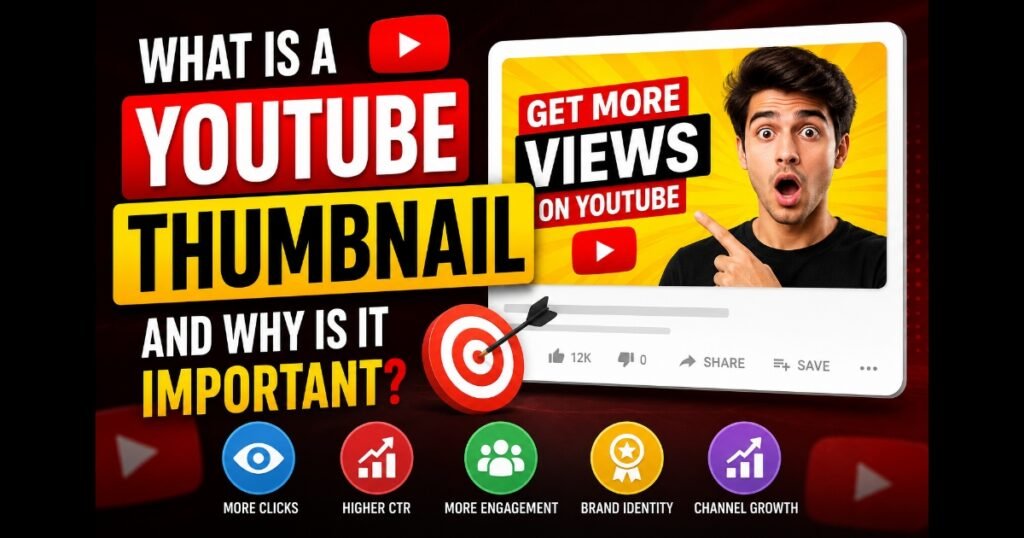
A YouTube thumbnail is a small preview image that represents a video on YouTube. It appears in search results, recommendations, playlists, channel pages, and suggested video sections.Think of a thumbnail as the cover of a book. Just as readers often judge a book by its cover, YouTube users frequently decide whether to watch a video based on its thumbnail.
Automatic vs. Custom Thumbnails
YouTube generally provides creators with two options:
Automatic Thumbnails
When a video is uploaded, YouTube automatically generates several thumbnail choices from different frames of the video.
Advantages:
- Fast and convenient
- No design skills required
Disadvantages:
- Often lack visual appeal
- May capture awkward moments
- Limited control over branding
Custom youtube Thumbnail
A custom thumbnail is manually designed and uploaded by the creator.
Advantages:
- Full creative control
- Better branding opportunities
- Higher engagement potential
- More professional appearance
Most successful creators use custom thumbnails because they provide better results.
Role in Video Discovery
A thumbnail serves as the first visual interaction between your content and potential viewers. Even if a video ranks highly in search results, users may ignore it if the thumbnail is unappealing.
In simple terms, thumbnails help viewers discover content by attracting attention and encouraging clicks.
Why Are YouTube Thumbnails Important?
Many creators underestimate the importance of youtube thumbnail design. However, thumbnails are among the most influential elements affecting video performance.
First Impressions Matter
A thumbnail creates an immediate impression.
When users browse dozens of videos on the same topic, they naturally gravitate toward thumbnails that look interesting, clear, and professional.
A strong first impression can significantly increase engagement.
Attracting Attention
The human brain processes visual information much faster than text.
Bright colors, expressive faces, and strong contrast can instantly attract attention in a crowded feed.
For example:
A plain screenshot from a video may receive fewer clicks than a thumbnail featuring a clear subject and bold text.
Increasing Click-Through Rate
One of the primary goals of a thumbnail is improving click-through rate (CTR).
If more users click on your video compared to competing videos, YouTube may interpret that as a positive signal.
Higher CTR often leads to:
- More views
- Increased watch time
- Greater visibility
Building Trust
Professional thumbnails create trust.
When viewers consistently see high-quality thumbnails from a channel, they begin recognizing the brand and associating it with quality content.
Standing Out From Competitors
Thousands of videos compete for attention every day.
A unique thumbnail can help your content stand out even when competing against larger channels.
How Thumbnails Affect Click-Through Rate (CTR)
CTR stands for Click-Through Rate.
It measures the percentage of users who click a video after seeing it.
Formula
CTR = Clicks ÷ Impressions × 100
For example:
- 1,000 impressions
- 80 clicks
CTR = 8%
Why CTR Matters
A high CTR suggests that users find your youtube thumbnail and title appealing.
When more people click your video, YouTube may recommend it to additional viewers.
Example
Imagine two videos covering the same topic:
Video A
- Blurry thumbnail
- No branding
- Poor contrast
Video B
- Clear subject
- Professional design
- Strong colors
Most viewers are likely to click Video B first.
Relationship Between CTR and Growth
Although CTR is not the only ranking factor, it plays an important role in overall performance.
Higher CTR can lead to:
- More impressions
- Increased engagement
- Better recommendations
- Faster channel growth
Benefits of Creating Custom YouTube Thumbnails
1. Stronger Branding
Custom thumbnails help establish a recognizable visual identity.
When viewers repeatedly see similar colors, fonts, and layouts, they begin associating those elements with your channel.
2. Professional Appearance
Professionally designed thumbnails make a channel look more credible.
This can improve viewer confidence and encourage subscriptions.
3. Higher Engagement
Custom thumbnails often generate more clicks and interactions.
More engagement can increase overall visibility.
4. Better Recognition
Consistent thumbnail design helps returning viewers identify your content instantly.
5. Improved Audience Retention
When thumbnails accurately represent video content, viewers are less likely to leave immediately after clicking.
This can contribute to stronger audience retention metrics.
Best YouTube Thumbnail Size and Specifications
Choosing the correct YouTube thumbnail size is essential for maintaining image quality.
| Specification | Recommended Value |
|---|---|
| Resolution | 1280 x 720 pixels |
| Minimum Width | 640 pixels |
| Aspect Ratio | 16:9 |
| File Formats | JPG, PNG, GIF |
| Maximum File Size | 2 MB |
Mobile Optimization Tips
- Use large readable text
- Avoid excessive details
- Keep focal subjects clear
- Test thumbnails on smaller screens
Quick Tips Checklist
Before uploading a thumbnail, ask yourself:
✅ Is the main subject clear?
✅ Can the text be read on mobile?
✅ Does it create curiosity?
✅ Is the image high quality?
✅ Does it match the video content?
✅ Is the design consistent with your brand?
✅ Does it stand out from competitors?
✅ Is the thumbnail visually balanced?
A simple checklist like this can significantly improve thumbnail performance.
Elements of a Great YouTube Thumbnail
Not all thumbnails perform equally. Some attract thousands of clicks, while others go unnoticed. Understanding the key elements of an effective thumbnail can help improve your video’s performance.
Clear Subject
Every successful thumbnail has a clear focal point.
Viewers should immediately understand what the image is about. Avoid overcrowding the design with too many objects or distractions.
A single person, product, or visual concept often works better than multiple competing elements.
Strong Contrast
Contrast helps thumbnails stand out against YouTube’s interface.
Using bright colors against dark backgrounds or vice versa can make important elements more visible.
Examples include:
- Yellow text on a dark background
- White text on a blue background
- Red highlights against neutral colors
Readable Text
Many users browse YouTube on mobile devices.
If text is included, it should be:
- Large
- Bold
- Easy to read
- Limited to a few words
Short phrases often perform better than lengthy sentences.
Emotional Expressions
Human faces naturally attract attention.
Thumbnails that show emotions such as surprise, excitement, curiosity, or happiness often generate stronger engagement because viewers connect emotionally with the content.
Color Psychology
Colors influence perception.
For example:
- Red can create urgency.
- Blue often communicates trust.
- Yellow attracts attention.
- Green may suggest success or growth.
Using colors strategically can improve visual impact.
Visual Hierarchy
Visual hierarchy helps guide the viewer’s eyes.
The most important element should appear first, followed by supporting elements.
A strong hierarchy usually includes:
- Main subject
- Key text
- Supporting graphics
This makes the thumbnail easier to understand at a glance.
Common YouTube Thumbnail Mistakes to Avoid
Even experienced creators sometimes make mistakes that reduce performance.
Too Much Text
Overloading a thumbnail with text makes it difficult to read, especially on mobile devices.
Instead of writing full sentences, focus on a few impactful words.
Misleading Images
Clickbait thumbnails may increase clicks initially, but they often damage trust and hurt audience retention.
Always ensure that the thumbnail accurately represents the content of the video.
Poor Image Quality
Blurry or pixelated images look unprofessional.
High-resolution images help create a more polished appearance.
Cluttered Design
Too many colors, icons, arrows, and effects can confuse viewers.
Simplicity often performs better than complexity.
Weak Contrast
If text blends into the background, viewers may ignore the thumbnail.
Strong contrast improves readability and visibility.
YouTube Thumbnail Design Tips for Beginners
If you are new to YouTube thumbnail design, these practical tips can help.
1. Use High-Quality Images
Always start with clear, sharp images.
2. Focus on One Main Idea
Avoid trying to communicate too many concepts in one thumbnail.
3. Use Large Text
Ensure text remains readable even on small screens.
4. Create Curiosity
Give viewers a reason to click without being misleading.
5. Maintain Brand Consistency
Use similar colors, fonts, and layouts across videos.
6. Include Human Faces
Faces often improve engagement and emotional connection.
7. Test Different Designs
Experiment with layouts and styles to discover what works best.
8. Keep Mobile Users in Mind
Most YouTube traffic comes from mobile devices.
9. Study Successful Channels
Analyze thumbnails used by successful creators in your niche.
10. Use Color Strategically
Choose colors that attract attention without overwhelming viewers.
11. Avoid Excessive Effects
Too many shadows, glows, and graphics can make thumbnails look unprofessional.
12. Make the Thumbnail Relevant
Ensure the design accurately reflects the video’s content.
Thumbnail Design Comparison
| Poor Thumbnail | Effective Thumbnail |
|---|---|
| Blurry image | High-quality image |
| Small text | Large readable text |
| Too many elements | Clear focal point |
| Weak colors | Strong contrast |
| Misleading visuals | Relevant visuals |
| No branding | Consistent branding |
This comparison highlights how small design improvements can significantly affect performance.
How to Download Public YouTube Thumbnails
Sometimes users need access to a video’s thumbnail for educational purposes, design inspiration, content analysis, or research.
Public YouTube thumbnails are generally accessible in different quality levels.
Common options include:
Maximum Resolution
Provides the highest available quality.
HD Quality
Offers excellent image clarity suitable for most purposes.
HQ Quality
A balanced option between image quality and loading speed.
SD Quality
A smaller version suitable for quick previews.
Tools such as the YouTube Thumbnail Downloader available on YTThumbsPro can help users view publicly available thumbnail images in multiple resolutions without taking screenshots.
When using downloaded thumbnails, users should always respect copyright laws and platform policies.
How Thumbnails Help YouTube SEO
Many people associate SEO only with keywords and titles, but thumbnails also play an important role.
Improved User Engagement
Attractive thumbnails encourage users to interact with content.
Higher engagement signals can support overall video performance.
Better Click-Through Rate Signals
A compelling thumbnail can improve CTR, which indicates that users find the content appealing.
Watch Time Relationship
A thumbnail that accurately represents the content helps attract the right audience.
This can improve viewer satisfaction and increase watch time.
Stronger Branding
Consistent branding helps viewers recognize content quickly.
Recognizable channels often benefit from stronger audience loyalty and repeat views.
Increased Discoverability
Videos that attract clicks and maintain viewer interest may receive additional exposure through YouTube’s recommendation systems.
Frequently Asked Questions
1. What is a YouTube thumbnail?
A YouTube thumbnail is the preview image displayed alongside a video on YouTube.
2. Why are thumbnails important?
They influence viewer decisions and help increase clicks.
3. What is the recommended YouTube thumbnail size?
The recommended size is 1280 × 720 pixels with a 16:9 aspect ratio.
4. Can I upload my own thumbnail?
Yes. Eligible YouTube creators can upload custom thumbnails.
5. What file formats are supported?
YouTube supports JPG, PNG, GIF, and other common image formats.
6. How does a thumbnail affect CTR?
An attractive thumbnail encourages more viewers to click on a video.
7. Should every video have a custom thumbnail?
In most cases, yes. Custom thumbnails usually perform better than automatically generated ones.
8. Do thumbnails affect YouTube SEO?
Indirectly, yes. Better thumbnails can improve CTR and engagement signals.
9. Can I use text in thumbnails?
Yes, but it should be short, clear, and easy to read.
10. How often should I update thumbnails?
If a video is underperforming, testing a new thumbnail may help improve results.
conclusion
A YouTube thumbnail is far more than a simple image. It serves as the first impression of your content and plays a major role in attracting viewers, improving click-through rates, strengthening branding, and supporting long-term channel growth.
Whether you are a beginner or an experienced creator, investing time in thumbnail optimization can produce significant benefits. A clear subject, strong contrast, readable text, and consistent branding can help your videos stand out in a competitive environment.
Remember that successful thumbnails are not created by chance. They are carefully planned, tested, and improved over time.
By understanding the principles covered in this guide and applying them consistently, you can create thumbnails that attract attention, build trust, and encourage viewers to engage with your content.
The next time you upload a video, treat the thumbnail as an essential part of your publishing process rather than an afterthought. Small improvements in thumbnail design can lead to meaningful improvements in video performance, audience growth, and overall success on YouTube.