
Word Counter Tool: The Complete Guide to Counting Words, Characters, and Text Statistics (2026)
Whether you’re writing a blog post, preparing an academic assignment, creating website content, or drafting a social media caption, keeping track of your text length is more important than ever. Different platforms and writing tasks often have specific word or character limits, making it essential to measure your content accurately before publishing or submitting it. This is where a Word Counter Tool becomes an invaluable writing companion.A Word Counter Tool is an online utility that instantly analyzes your text and provides detailed statistics, including the total number of words, characters, sentences, paragraphs, and estimated reading time. Instead of manually counting words or relying on guesswork, writers can receive accurate results in real time while typing or pasting their content.Beyond simple counting, modern word counter tools help improve productivity, maintain readability, and support better content organization. Bloggers can ensure their articles meet recommended SEO content lengths, students can stay within assignment requirements, and marketers can optimize text for social media platforms with character limits.Today’s content creators also benefit from additional text insights such as reading time, speaking time, and paragraph analysis. These metrics help produce well-structured, reader-friendly content that is easier to understand and more engaging for audiences.In this comprehensive guide, you’ll learn what a Word Counter Tool is, how it works, why it matters for different types of writing, and how it can improve your workflow. Whether you’re a student, blogger, writer, copywriter, SEO specialist, or business professional, understanding how to use a reliable word counter can help you create clearer, more effective content.
What Is a Word Counter Tool?
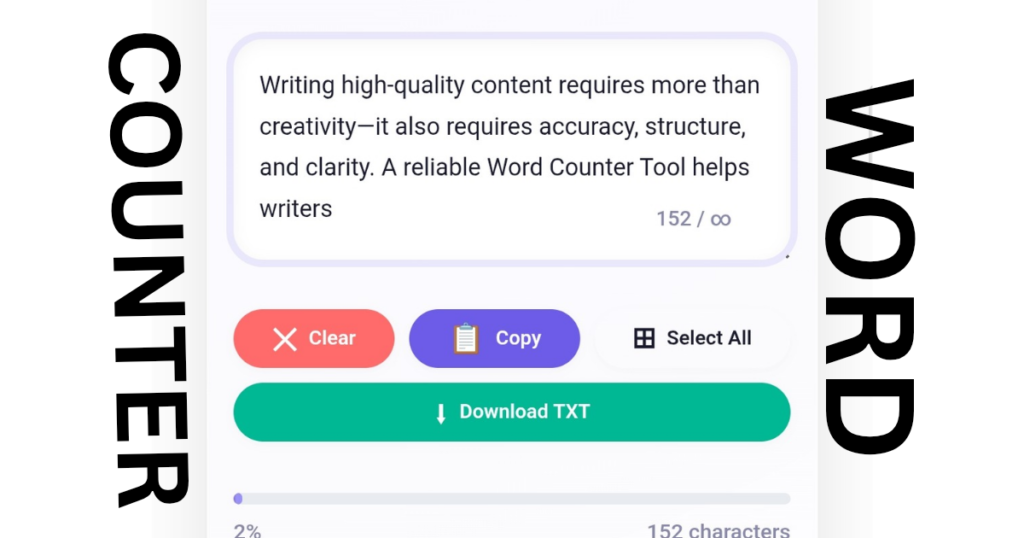
A Word Counter Tool is an online application designed to calculate the number of words and other important text statistics instantly. As you type or paste content into the editor, the tool automatically updates the total word count without requiring manual calculations.
Most modern word counter tools provide much more than just the number of words. They also display useful information such as:
- Total word count
- Character count
- Character count without spaces
- Sentence count
- Paragraph count
- Estimated reading time
- Estimated speaking time
- Average word length
These insights help writers better understand the structure and length of their content while making revisions easier.
How Does It Work?
A Word Counter Tool scans your text using built-in algorithms that identify spaces, punctuation marks, paragraphs, and sentence endings. The analysis happens instantly in your web browser, allowing statistics to update in real time as you continue writing.
Most online tools do not require registration or software installation. Simply paste your content into the text box, and the tool generates accurate results within seconds.
Why Is It Useful?
Writing requirements vary across different platforms. A university essay may require at least 2,000 words, while a social media platform may limit posts to only a few hundred characters. A Word Counter Tool eliminates uncertainty by providing accurate measurements for every writing project.
For example:
- A blogger can verify article length before publishing.
- A student can meet assignment requirements.
- A copywriter can write within advertising character limits.
- An SEO specialist can optimize article length for search engines.
- A business professional can create concise emails and reports.
Because the tool works instantly, it saves time while reducing manual errors.
Why Use a Word Counter Tool?
People write for many different purposes, but almost every writer benefits from knowing exactly how much content they have created. A reliable Word Counter Tool supports better planning, editing, and publishing across multiple industries.
Academic Writing
Students often receive assignments with minimum or maximum word limits. Using a Word Counter Tool makes it easy to verify that essays, research papers, and reports meet submission requirements without exceeding the allowed length.
Blogging
Bloggers use word counters to create balanced articles that provide enough detail without becoming unnecessarily long. Monitoring word count also helps maintain consistency across multiple blog posts.
SEO Content Writing
Search engine optimization involves creating content that is useful, informative, and comprehensive. While there is no perfect article length, many SEO professionals use Word Counter Tools to ensure their content provides sufficient depth while remaining easy to read.
Social Media Content
Platforms such as X, LinkedIn, Instagram, and Facebook often have practical or technical character limitations. A Character Count Tool helps creators stay within these limits while keeping messages clear and engaging.
Email Writing
Business emails should communicate information efficiently. Word counting helps writers remove unnecessary words and improve clarity, making professional communication more effective.
Professional Documents
Reports, proposals, business presentations, and technical documentation all benefit from clear structure and appropriate length. Monitoring text statistics helps professionals produce polished, well-organized documents.
Real-World Example
Imagine two students submitting the same assignment. One manually estimates the word count and exceeds the maximum limit, while the other uses a Word Counter Tool to stay within the required range. The second student is more likely to meet the instructor’s formatting guidelines because they relied on accurate text analysis rather than estimation.
Key Features of a Good Word Counter Tool
Not all word counters provide the same level of functionality. The best tools offer a complete set of writing statistics that help users analyze their text more effectively.
Word Count
Displays the total number of words in the document. This is the primary feature used by students, bloggers, and writers.
Character Count
Shows every character in the text, including spaces, making it useful for platforms with character restrictions.
Character Count Without Spaces
Calculates only letters, numbers, and symbols while excluding spaces. This metric is often required for academic submissions and professional documentation.
Sentence Count
Counts the total number of sentences, helping writers evaluate sentence variety and overall readability.
Paragraph Count
Displays the number of paragraphs, making it easier to organize long-form content into readable sections.
Reading Time
Estimates how long an average reader will take to read the text. This information is especially valuable for bloggers and website owners focused on improving user experience.
Speaking Time
Estimates how long it would take to read the content aloud, making it useful for speeches, presentations, podcasts, and video scripts.
Keyword Density
Some advanced Word Counter Tools also calculate keyword frequency, helping SEO writers monitor natural keyword usage without over-optimization.
Copy and Clear Options
One-click copy and clear buttons improve workflow by allowing users to quickly reuse or reset their content.
Mobile-Friendly Design
A responsive interface ensures the tool works smoothly across desktops, tablets, and smartphones, allowing users to analyze text wherever they are.
How Does a Word Counter Tool Work?
Although a Word Counter Tool appears simple, it performs several calculations simultaneously whenever text is entered.
Step 1: Enter or Paste Your Text
Type directly into the editor or paste existing content from another document.
Step 2: Real-Time Analysis
The tool immediately scans the text and identifies individual words, characters, sentences, and paragraphs.
Step 3: Generate Statistics
Within milliseconds, the tool displays detailed metrics, including total words, characters, reading time, and other useful writing statistics.
Step 4: Review and Edit
As you continue editing, all statistics update automatically, allowing you to monitor changes without refreshing the page.
Step 5: Finalize Your Content
Once your document meets the required length and structure, you can confidently publish, submit, or share it knowing the statistics are accurate.
A reliable Word Counter Tool simplifies the writing process by replacing manual counting with fast, accurate, and real-time analysis, helping writers focus on creating high-quality content instead of tracking numbers.
Benefits of Using an Online Word Counter
An online Word Counter Tool offers far more than a simple word count. It helps writers create organized, readable, and professional content while saving time and improving productivity.
1. Saves Time
Manually counting words or characters can be slow and inaccurate. A Word Counter Tool provides instant results, allowing you to focus on writing instead of calculations.
2. Improves Productivity
Real-time text analysis eliminates the need to switch between multiple applications. You can edit and monitor your content in one place, making your workflow faster and more efficient.
3. Helps Meet Word Limits
Many schools, universities, and online platforms have minimum or maximum word requirements. A Word Counter Tool helps ensure your content stays within the required limits.
4. Enhances Readability
By showing sentence and paragraph counts, the tool encourages writers to create well-structured content with shorter paragraphs and balanced sentence lengths.
5. Supports SEO Writing
SEO articles often require comprehensive coverage of a topic. Tracking word count helps writers create detailed, informative content while naturally incorporating keywords.
6. Improves Editing
Seeing detailed text statistics makes it easier to identify unnecessary repetition, lengthy sections, or opportunities to improve clarity.
7. Useful Across Multiple Writing Tasks
Whether you’re writing blog posts, essays, reports, product descriptions, newsletters, or social media captions, a Word Counter Tool adapts to different writing needs.
Word Count vs Character Count
Although these terms are often used together, they measure different aspects of your text.
| Feature | Word Count | Character Count |
|---|---|---|
| Definition | Counts the total number of words | Counts every character, including letters, numbers, punctuation, and spaces (depending on the setting) |
| Best Use | Articles, essays, blog posts | Social media posts, ads, forms, and metadata |
| SEO Importance | Helps maintain comprehensive content | Useful for meta titles, meta descriptions, and character-limited platforms |
| Example | “Hello World” = 2 words | “Hello World” = 11 characters (including space) |
Understanding both metrics helps writers optimize content for different publishing platforms.
Who Should Use a Word Counter Tool?
A Word Counter Tool is valuable for anyone who creates written content.
Students
Students can ensure essays, assignments, and research papers meet academic word requirements.
Bloggers
Bloggers use word counters to create balanced, informative articles that are easy to read and well-structured.
Journalists
News writers often work under strict word limits, making accurate word counting essential.
Copywriters
Marketing copy frequently has limited space. Character counting helps create concise and impactful messages.
SEO Professionals
SEO specialists monitor article length, keyword placement, and readability while optimizing content for search engines.
Digital Marketers
Landing pages, advertisements, and email campaigns benefit from clear, concise writing supported by accurate text statistics.
Teachers
Teachers can evaluate student submissions more efficiently and verify assignment requirements.
Authors
Book writers and editors can track chapter length and maintain consistency throughout longer projects.
How a Word Counter Tool Helps SEO
Search engines prioritize content that provides value, answers user questions, and delivers a positive reading experience. A Word Counter Tool supports these goals in several ways.
Better Content Length
Long-form articles often cover topics more comprehensively. Monitoring word count helps ensure your content provides enough detail without unnecessary repetition.
Improved Readability
Short paragraphs, balanced sentences, and logical structure make content easier to read. These improvements can increase user engagement.
Natural Keyword Placement
Instead of forcing keywords into every paragraph, writers can maintain a natural balance while creating informative content.
Enhanced User Experience
Readers appreciate content that is clear, organized, and easy to navigate. Better user experience can encourage longer page visits and higher engagement.
Helpful Content
Creating useful, informative content that satisfies user intent aligns with Google’s Helpful Content principles. A Word Counter Tool helps writers organize and refine their work effectively.
Tips for Writing Better Content
Follow these practical tips to improve your writing quality:
- Understand your audience before you start writing.
- Create an outline before drafting.
- Write clear and concise sentences.
- Use descriptive headings.
- Keep paragraphs short.
- Avoid unnecessary repetition.
- Support claims with reliable information.
- Use active voice whenever possible.
- Check grammar and spelling carefully.
- Include examples to explain complex ideas.
- Maintain a consistent tone.
- Use transition words for better flow.
- Edit your content before publishing.
- Optimize naturally for SEO.
- Focus on providing value rather than simply increasing word count.
Common Mistakes Writers Make
Even experienced writers can make mistakes that reduce content quality.
Ignoring Word Limits
Exceeding or falling short of required word counts can affect assignments, submissions, or publishing guidelines.
Solution: Monitor your content using a reliable Word Counter Tool.
Keyword Stuffing
Repeating the same keyword excessively makes content difficult to read.
Solution: Use keywords naturally and focus on reader value.
Long Paragraphs
Large blocks of text discourage readers.
Solution: Break content into smaller paragraphs with clear headings.
Poor Readability
Complex language and lengthy sentences reduce engagement.
Solution: Use simple, direct language whenever possible.
Weak Structure
Content without logical organization is harder to follow.
Solution: Use headings, bullet points, and numbered lists to improve clarity.
Why Choose an Online Word Counter Tool?
Online tools are convenient because they require no software installation and work instantly in your browser.
Users can utilize YTThumbsPro’s Word Counter Tool to analyze words, characters, sentences, paragraphs, and estimated reading time quickly while keeping the writing process simple and efficient. The tool is designed to support writers, students, bloggers, and professionals who need accurate text statistics without unnecessary complexity.
Quick Tips Checklist
✔ Write with a clear purpose.
✔ Know your target audience.
✔ Use descriptive headings.
✔ Keep paragraphs short.
✔ Monitor your word count.
✔ Check character limits.
✔ Improve readability.
✔ Use bullet lists when appropriate.
✔ Proofread before publishing.
✔ Avoid keyword stuffing.
✔ Maintain a consistent writing style.
✔ Use transition words naturally.
✔ Include practical examples.
✔ Optimize for mobile readers.
✔ Review sentence structure.
✔ Eliminate unnecessary words.
✔ Format content for easy scanning.
✔ Update older articles regularly.
✔ Focus on accuracy.
✔ Prioritize quality over quantity.
(FAQs)
1. What is a Word Counter Tool?
A Word Counter Tool is an online utility that instantly counts words, characters, sentences, paragraphs, and other text statistics while you type or paste content.
2. Is this Word Counter Tool free?
Yes. It is completely free to use without requiring registration or software installation.
3. Can I count characters as well?
Yes. The tool provides both character count with spaces and character count without spaces.
4. Does the tool calculate reading time?
Yes. It estimates the average reading time based on the total number of words.
5. Who can use a Word Counter Tool?
Students, bloggers, writers, journalists, copywriters, SEO professionals, teachers, marketers, and businesses can all benefit from using it.
6. Is my text stored on the server?
No. The tool processes your text in the browser, helping keep your content private.
7. Can I use it on my mobile phone?
Yes. The tool is fully responsive and works on smartphones, tablets, laptops, and desktop computers.
8. Why is word count important for SEO?
Word count helps writers create comprehensive content that answers user queries effectively while maintaining readability and structure.
9. What is the difference between word count and character count?
Word count measures the number of words, while character count measures every letter, number, symbol, and space in the text.
10. Can this tool help with academic writing?
Yes. Students can use it to ensure essays, reports, and research papers meet required word limits.
11. Does the tool count paragraphs?
Yes. It automatically identifies and counts paragraphs within your text.
12. Is there a limit on how much text I can analyze?
Most browser-based tools support large amounts of text, although practical limits depend on your browser and device.
13. Does it support SEO content writing?
Yes. SEO writers often use Word Counter Tools to monitor article length, readability, and content structure.
14. Can businesses use this tool?
Absolutely. Businesses can use it for emails, reports, proposals, presentations, and marketing content.
15. Why should I choose YTThumbsPro’s Word Counter Tool?
YTThumbsPro’s Word Counter Tool provides fast, accurate text analysis, including words, characters, sentences, paragraphs, and reading time, making it a practical choice for everyday writing tasks.
Conclusion
Writing high-quality content requires more than creativity—it also requires accuracy, structure, and clarity. A reliable Word Counter Tool helps writers analyze text instantly, stay within word limits, improve readability, and create well-organized content for blogs, academic assignments, business documents, and digital marketing.
Whether you’re a student, blogger, copywriter, or SEO professional, using a trusted Word Counter Tool can simplify your writing process and improve overall productivity. Instead of manually counting words or worrying about character limits, you can focus on creating meaningful, engaging, and reader-friendly content that delivers value.