
HD YouTube Thumbnail: The Complete Guide to High-Resolution YouTube Thumbnails (2026)
A high-quality thumbnail is often the first thing viewers notice before they decide whether to watch a YouTube video. In a platform where millions of videos compete for attention every day, a clear and visually appealing HD YouTube Thumbnail can make a significant difference in attracting clicks and building trust with your audience.An HD thumbnail is more than just an attractive image. It acts as a visual summary of your content, helping viewers quickly understand what your video is about. A professionally designed thumbnail can improve your video’s click-through rate (CTR), strengthen your channel’s branding, and create a better first impression across YouTube Search, Home, Suggested Videos, and mobile devices.
Many successful creators invest time in designing custom thumbnails because they understand that viewers often decide within seconds whether a video looks worth watching. While the title provides context, the thumbnail usually captures attention first. A high-resolution image with readable text, balanced colors, and a clear focal point can encourage users to click naturally without relying on misleading visuals.
What Is an HD YouTube Thumbnail?
An HD YouTube Thumbnail is a high-resolution preview image displayed alongside a YouTube video. It gives viewers a visual introduction to the video’s topic before they click to watch. Instead of relying on an automatically selected video frame, creators can upload a custom thumbnail that better represents their content.Because thumbnails appear in many places—including YouTube search results, recommendations, playlists, channel pages, and subscriptions—they play an important role in helping videos stand out. A clear, well-designed thumbnail can make it easier for viewers to recognize your content and decide whether it matches their interests.
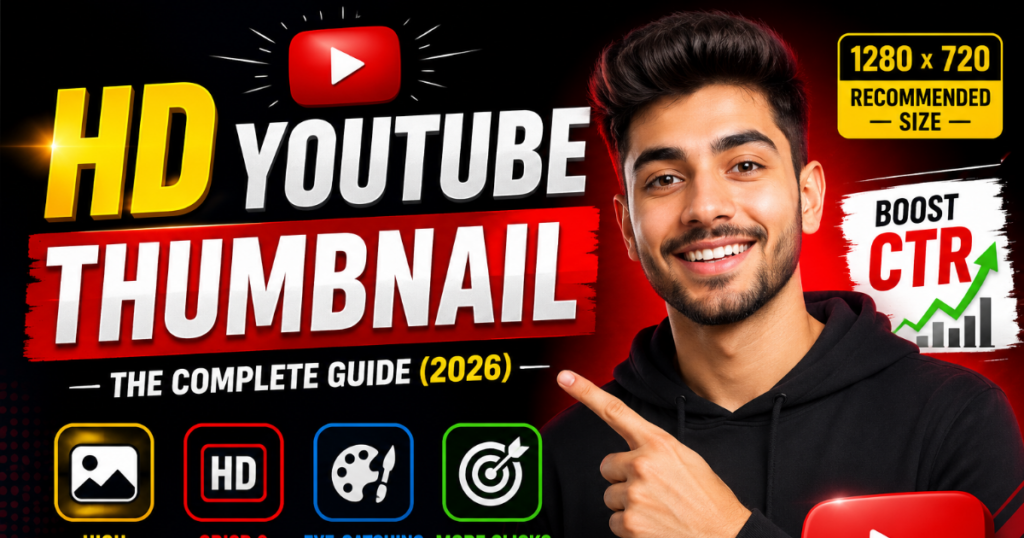
HD thumbnail offers several practical advantages:
- Creates a strong first impression.
- Makes videos easier to recognize.
- Improves readability on mobile devices.
- Supports consistent channel branding.
- Enhances the overall presentation of your content.
- Helps viewers quickly understand the video’s topic.
While a great thumbnail alone cannot guarantee success, combining high-quality visuals with valuable content can contribute to a better user experience and encourage viewers to explore your channel further.
Why HD YouTube Thumbnails Matter
A well-designed HD YouTube Thumbnail is more than just a preview image—it is one of the most influential visual elements of your video. Before viewers read the title or description, they usually notice the thumbnail first. In a crowded YouTube feed, an attractive and high-resolution thumbnail can help your content stand out while accurately representing your video.
Let’s explore why HD thumbnails are so important for YouTube creators.
1. They Create a Strong First Impression
First impressions happen in seconds. When users browse YouTube, they quickly decide which videos deserve their attention based on the thumbnail and title.
A high-quality thumbnail can immediately communicate:
- The topic of the video
- The overall production quality
- The intended audience
- The creator’s professionalism
Using sharp images, balanced colors, and readable text helps build trust before a viewer even clicks on the video.
2. They Improve Click-Through Rate (CTR)
Click-Through Rate (CTR) measures how often people click your video after seeing it.
Although CTR depends on multiple factors, thumbnails play a major role because they are the first visual element viewers notice.
An effective HD thumbnail should:
- Clearly represent the content
- Be visually appealing
- Use strong contrast
- Include readable text
- Avoid clutter
A relevant and well-designed thumbnail encourages viewers to learn more without relying on misleading visuals.
3. They Enhance Brand Recognition
Successful YouTube channels often use a consistent thumbnail style.
This may include:
- Similar color palettes
- Consistent typography
- Logo placement
- Familiar layouts
- Recognizable visual elements
Over time, viewers begin to recognize your videos even before reading the title, helping strengthen your channel’s identity.
4. Better Mobile Viewing Experience
More than half of YouTube traffic comes from mobile devices. Since thumbnails appear much smaller on smartphones, every design element must remain clear and readable.
An HD thumbnail helps ensure:
- Text stays legible
- Images remain sharp
- Important subjects are easy to identify
- Colors remain vibrant on smaller screens
Always preview your thumbnail on both desktop and mobile before publishing.
5. Improved Viewer Engagement
An accurate and professional thumbnail helps attract the right audience.
When viewers know what to expect, they are more likely to:
- Watch longer
- Like the video
- Leave comments
- Share the content
- Subscribe to your channel
Rather than increasing clicks through exaggerated images, the goal should be to set clear expectations and provide valuable content.
Practical Example
Imagine two videos covering the same topic.
Video A
- Low-resolution image
- Blurry screenshot
- Tiny unreadable text
- No branding
Video B
- HD image
- Bold typography
- Clean layout
- Strong contrast
- Consistent branding
Most viewers are naturally more likely to notice Video B because it looks more polished and communicates the topic clearly.
Official HD YouTube Thumbnail Specifications
Using the correct technical specifications helps ensure your thumbnail looks professional across desktops, smartphones, tablets, and smart TVs.
HD YouTube Thumbnail Specification Table
| Specification | Recommended Value |
|---|---|
| Recommended Dimensions | 1280 × 720 pixels |
| Minimum Width | 640 pixels |
| Aspect Ratio | 16:9 |
| Maximum File Size | 2 MB |
| Supported Formats | JPG, PNG, GIF, BMP, WEBP |
| Recommended Resolution | HD (1280 × 720) |
Recommended Dimensions
The ideal size for an HD YouTube Thumbnail is 1280 × 720 pixels.
This resolution provides enough detail to keep your thumbnail crisp across all supported devices.
Designing at the recommended size also helps avoid unwanted scaling or quality loss.
Minimum Width
YouTube recommends a minimum width of 640 pixels.
Anything smaller may appear blurry or pixelated, especially on larger screens.
Whenever possible, always design at the full recommended resolution.
Aspect Ratio
The recommended aspect ratio is 16:9.
This widescreen format matches the display used by YouTube videos and ensures thumbnails fit correctly in search results, suggested videos, and channel pages.
Maximum File Size
Your thumbnail image should not exceed 2 MB.
If your image is too large:
- Compress it carefully.
- Export with optimized settings.
- Remove unnecessary metadata.
This helps speed up uploads while maintaining visual quality.
Supported Image Formats
YouTube supports several popular image formats:
- JPG
- PNG
- WEBP
- GIF
- BMP
Each format has different strengths depending on your design requirements.
Best Resolution for YouTube Thumbnails
Choosing the right resolution helps maintain image quality across all devices.
1280 × 720 Pixels
This is YouTube’s officially recommended thumbnail size.
Benefits include:
- Sharp details
- Better readability
- Professional appearance
- Consistent quality across devices
HD vs Full HD
Although Full HD (1920 × 1080) contains more pixels, YouTube recommends uploading thumbnails at 1280 × 720.
Larger images usually provide little additional benefit because YouTube automatically resizes thumbnails during display.
Image Clarity
Use high-resolution source images whenever possible.
Avoid:
- Pixelated screenshots
- Blurry photographs
- Low-quality downloads
Sharp images improve the overall appearance of your thumbnail.
Compression
Every image uploaded to YouTube is compressed to some degree.
To minimize visible quality loss:
- Export at high quality.
- Avoid repeated editing and saving.
- Start with high-resolution images.
Mobile Optimization
Since many viewers use smartphones, make sure your thumbnail remains clear even at smaller sizes.
Best practices include:
- Large readable text
- High contrast
- Simple layouts
- Strong focal points
Best Image Formats for HD Thumbnails
Choosing the correct image format affects quality, file size, and editing flexibility.
Image Format Comparison Table
| Format | Image Quality | Compression | Transparency | Best Use Case |
|---|---|---|---|---|
| JPG | High | Excellent | No | Photos and everyday thumbnails |
| PNG | Very High | Moderate | Yes | Text-heavy designs, logos, graphics |
| WEBP | Very High | Excellent | Yes | Modern web optimization |
| GIF | Medium | Moderate | Yes | Simple graphics (static only) |
| BMP | Very High | Minimal | No | Editing before exporting |
JPG
JPG is one of the most commonly used formats for YouTube thumbnails.
Advantages
- Small file size
- Fast uploads
- Excellent compatibility
- Good image quality
Best For
Photo-based thumbnails and everyday YouTube content.
PNG
PNG is preferred for graphic-heavy designs.
Advantages
- Sharp text
- High-quality graphics
- Transparent backgrounds
- Minimal quality loss
Best For
Custom thumbnails with logos, icons, and typography.
WEBP
WEBP provides excellent quality while keeping file sizes relatively small.
Advantages
- Efficient compression
- Transparency support
- High visual quality
- Optimized for modern websites
Best For
Creators looking for an efficient balance between quality and storage.
GIF
Although animated GIFs are not used as YouTube thumbnails, single-frame GIF files are supported.
Advantages
- Basic transparency
- Suitable for simple graphics
Limitations
- Limited color range
- Less suitable for detailed thumbnail designs
BMP
BMP preserves image quality with minimal compression.
Advantages
- Maximum detail
- Excellent for editing
Limitations
- Large file size
- Not practical for final uploads
Many designers edit images in BMP format before exporting to JPG, PNG, or WEBP.
Which Format Should You Choose?
For most creators:
- JPG is ideal for photographic thumbnails.
- PNG is best for text, logos, and graphic designs.
- WEBP offers an excellent balance between image quality and file size.
Regardless of the format you choose, always design your thumbnails at 1280 × 720 pixels, use high-quality source images, and keep the file size within YouTube’s recommended limits for the best viewing experience.
How to Create an HD YouTube Thumbnail
Creating a professional HD YouTube Thumbnail is not just about making an attractive image. A successful thumbnail should clearly represent your video’s content, attract the right audience, and remain easy to understand on both desktop and mobile devices. Following a structured design process can help you produce consistent, high-quality thumbnails.
Step-by-Step Guide to Creating an HD YouTube Thumbnail
Step 1: Understand Your Video Topic
Before opening any design tool, identify the main message of your video.
Ask yourself:
- What problem does this video solve?
- Who is the target audience?
- What should viewers understand at first glance?
Your thumbnail should instantly communicate the video’s purpose.
Step 2: Create a Canvas with the Correct Size
Use YouTube’s recommended dimensions:
- 1280 × 720 pixels
- 16:9 Aspect Ratio
- Maximum File Size: 2 MB
Starting with the correct size helps maintain image quality across all devices.
Step 3: Choose a High-Resolution Image
Always use a sharp, high-quality image.
Good choices include:
- Professional photos
- High-resolution screenshots
- Product images
- Custom illustrations
Avoid:
- Blurry images
- Pixelated screenshots
- Over-compressed files
Step 4: Add a Clear Focal Point
Every thumbnail should have one primary subject that immediately grabs attention.
Examples:
- A person’s face
- A product
- A device
- A logo
- An important object related to the video
Avoid adding too many competing elements.
Step 5: Write Short, Readable Text
If you use text, keep it short and impactful.
Examples:
- Best Settings
- Easy Guide
- Before & After
- Complete Tutorial
- Top Tips
Use:
- Large font size
- Bold typography
- High contrast colors
Avoid long sentences.
Step 6: Use Strong Color Contrast
Contrast makes important elements stand out.
Effective combinations include:
- White on dark blue
- Yellow on black
- Black on yellow
- White on red
- Cyan on dark gray
High contrast improves readability, especially on mobile devices.
Step 7: Include Consistent Branding
If you regularly publish videos, maintain a consistent visual identity.
Branding elements may include:
- Channel logo
- Brand colors
- Font style
- Border design
- Layout pattern
Consistency helps viewers recognize your content more quickly.
Step 8: Keep the Design Clean
Avoid overcrowding the thumbnail.
A clean layout should include:
- One main subject
- Limited text
- Balanced spacing
- Clear visual hierarchy
Simple designs are often easier to understand than busy ones.
Step 9: Export in High Quality
Export the thumbnail using an appropriate format.
Recommended formats:
- JPG
- PNG
- WEBP
Before uploading, verify:
- Resolution
- File size
- Sharpness
- Color accuracy
Step 10: Preview Before Uploading
Always preview your thumbnail before publishing.
Check how it appears on:
- Desktop
- Smartphone
- Tablet
If important details become difficult to see at smaller sizes, simplify the design.
Best Practices for HD YouTube Thumbnails
Following established design principles can improve the clarity and professionalism of your thumbnails while helping viewers understand your content more quickly.
Use Bold Typography
Text should remain readable even on small screens.
Choose:
- Bold fonts
- Large font sizes
- Simple typefaces
- High contrast colors
Avoid decorative fonts that reduce readability.
Focus on Strong Contrast
Contrast separates important elements from the background.
Good contrast improves:
- Readability
- Visual attention
- Overall clarity
Dark backgrounds often pair well with light-colored text.
Highlight Human Faces
When appropriate, include expressive faces.
Facial expressions can naturally communicate:
- Surprise
- Curiosity
- Excitement
- Happiness
- Concern
Use genuine expressions that accurately reflect the video’s content.
Leave White Space
White space (empty space) helps important elements stand out.
Benefits include:
- Cleaner design
- Better readability
- Improved focus
- Less visual clutter
Not every part of the thumbnail needs to be filled.
Maintain Brand Consistency
Use the same visual style across multiple videos.
Consider maintaining:
- Similar colors
- Font choices
- Logo placement
- Layout style
Consistent branding makes your channel more recognizable.
Design for Mobile Users
Many viewers watch YouTube on smartphones.
Before publishing:
- Zoom out your design.
- Ensure text remains readable.
- Check image clarity.
- Remove unnecessary details.
If viewers cannot understand the thumbnail on a small screen, simplify it.
Use High-Quality Images
Always start with the best source image available.
High-quality images provide:
- Better sharpness
- More editing flexibility
- Cleaner final exports
- Professional appearance
Avoid stretching small images to larger sizes, as this reduces quality.
Keep Text Minimal
A thumbnail is meant to support the title, not replace it.
Use only the most important words.
For example:
✔ Correct
- Beginner Guide
- Best Tips
- Complete Setup
✘ Avoid
- This Complete Beginner Guide Will Teach You Everything About YouTube Thumbnails
Short text is easier to read quickly.
Choose Colors Strategically
Color psychology can influence how viewers perceive your content.
Examples:
- Red: Energy and urgency
- Blue: Trust and professionalism
- Yellow: Attention and optimism
- Green: Growth and success
- Orange: Creativity and enthusiasm
Use colors consistently rather than randomly.
Test Different Designs
Small design changes can improve clarity.
Experiment with:
- Background colors
- Font sizes
- Image placement
- Text length
- Subject positioning
Review your thumbnails over time to identify patterns that work well for your audience.
Practical Design Example
Imagine you’re creating a video titled:
“How to Design Better YouTube Thumbnails”
A professional HD thumbnail could include:
- A smiling creator pointing toward a thumbnail example.
- Bold text reading “Better Thumbnails!”
- A bright yellow accent behind the text.
- A clean blue background.
- A subtle channel logo in one corner.
- Plenty of spacing between elements.
This design is easy to understand, visually balanced, and remains readable even on smaller screens.
By following these design principles, you can create HD YouTube thumbnails that are clear, professional, and aligned with your video’s content. While no thumbnail can guarantee higher performance, thoughtful design helps viewers quickly understand what your video offers and encourages informed clicks.
Up Next (Part 4)
- Common HD Thumbnail Mistakes
- How HD Thumbnails Improve YouTube CTR
- How HD Thumbnails Support YouTube SEO
- How to Download Public HD YouTube Thumbnails
- Quick Tips Checklist (20+ Actionable Tips)
Common HD Thumbnail Mistakes to Avoid
Even experienced creators can make thumbnail design mistakes that reduce image quality, readability, and viewer engagement. Avoiding these common issues can help your videos look more professional and provide a better viewing experience.
1. Using Low-Resolution Images
A blurry or pixelated thumbnail creates a poor first impression.
Problem
- Blurry photos
- Pixelated screenshots
- Low-quality downloads
Solution
Always start with high-resolution images and export your thumbnail at 1280 × 720 pixels for the best results.
2. Choosing the Wrong Dimensions
Using incorrect dimensions may cause thumbnails to appear stretched or cropped.
Problem
- Square images
- Portrait orientation
- Incorrect aspect ratio
Solution
Always use:
- Dimensions: 1280 × 720 pixels
- Aspect Ratio: 16:9
This ensures your thumbnail displays correctly across YouTube.
3. Adding Too Much Text
Long sentences become difficult to read, especially on mobile devices.
Problem
- Large paragraphs
- Tiny font sizes
- Multiple text styles
Solution
Keep text short and impactful.
Examples:
- Easy Guide
- Top Tips
- Best Settings
- Step-by-Step
4. Poor Color Contrast
Low contrast makes important elements difficult to see.
Problem
- Light text on a light background
- Dark text on a dark background
Solution
Use strong color combinations such as:
- White on Blue
- Yellow on Black
- White on Red
- Black on Yellow
5. Cluttered Layout
Adding too many objects can confuse viewers.
Problem
- Multiple focal points
- Too many icons
- Excessive decorations
Solution
Focus on one main subject and maintain a clean visual hierarchy.
6. Oversized File Size
Large image files may exceed YouTube’s upload limit.
Problem
- File larger than 2 MB
- Slow uploads
Solution
Optimize the image while maintaining good visual quality.
7. Misleading Thumbnails
Using images that don’t accurately represent the video may disappoint viewers.
Problem
- Clickbait visuals
- Irrelevant graphics
- False expectations
Solution
Create thumbnails that accurately reflect your video’s content. Honest thumbnails help build long-term trust with your audience.
How HD Thumbnails Improve YouTube CTR
A Click-Through Rate (CTR) represents the percentage of viewers who click your video after seeing it on YouTube.
Although many factors influence CTR, thumbnails are one of the most important because they attract attention before viewers read the title.
They Capture Attention
An attractive HD thumbnail stands out in:
- Search results
- Home feed
- Suggested videos
- Playlists
- Subscription feed
Clear images and bold typography naturally draw the viewer’s eye.
They Improve Viewer Psychology
People process visuals much faster than text.
An effective thumbnail quickly communicates:
- Topic
- Emotion
- Value
- Curiosity
This helps viewers decide whether the video matches their interests.
They Encourage Longer Watch Sessions
When the thumbnail accurately represents the content, viewers are more likely to continue watching because their expectations match the actual video.
This can contribute to:
- Better audience retention
- Longer watch time
- Increased engagement
They Support YouTube Recommendations
YouTube considers many signals when recommending videos.
While thumbnails are not a direct ranking factor, a clear and relevant thumbnail can encourage more viewers to click when your video is shown, contributing to overall engagement.
How HD Thumbnails Support YouTube SEO
Although thumbnails are not traditional SEO elements like titles or descriptions, they contribute to a better overall user experience.
Better User Experience
Professional thumbnails make videos easier to identify.
Viewers can quickly understand:
- Video topic
- Content style
- Intended audience
Stronger Branding
Consistent thumbnails help establish a recognizable channel identity.
Brand consistency may include:
- Similar fonts
- Color palette
- Logo placement
- Layout style
Higher Engagement
Accurate thumbnails help attract viewers who are genuinely interested in your content.
Engaged viewers are more likely to:
- Watch longer
- Like videos
- Comment
- Share content
- Subscribe
Improved Search Visibility
Videos that consistently satisfy viewer expectations may perform better over time because they encourage positive engagement.
Remember that thumbnail quality should always support valuable content rather than replace it.
Long-Term Channel Growth
Professional thumbnails help create a consistent viewing experience across your channel.
Over time this can strengthen:
- Viewer trust
- Brand recognition
- Content discoverability
- Audience loyalty
How to Download Public HD YouTube Thumbnails
Many creators study publicly available thumbnails to learn about design techniques, color choices, and layouts.
Public thumbnails can be viewed for educational purposes without modifying or redistributing copyrighted content.
Available Thumbnail Resolutions
Depending on the video, YouTube provides different thumbnail sizes, such as:
- Default Thumbnail
- Medium Quality Thumbnail
- High Quality Thumbnail
- Standard Definition Thumbnail
- Maximum Resolution Thumbnail (when available)
Higher-resolution versions usually provide more detail for design analysis.
Why View Public Thumbnails?
Studying thumbnails helps creators understand:
- Color combinations
- Typography
- Image composition
- Branding
- Visual hierarchy
Learning from successful designs can inspire original ideas for your own content.
Using a Thumbnail Downloader
If you need to examine a publicly available thumbnail, you can use YTThumbsPro’s YouTube Thumbnail Downloader to view available thumbnail resolutions for research, learning, and design inspiration. The tool is intended to help creators analyze publicly accessible thumbnail images and should be used responsibly while respecting copyright and intellectual property.
Quick Tips Checklist
Use this checklist before uploading every HD YouTube Thumbnail.
✅ Design at 1280 × 720 pixels
✅ Use the 16:9 aspect ratio
✅ Keep the file size below 2 MB
✅ Use high-resolution source images
✅ Choose bold, readable fonts
✅ Limit text to a few important words
✅ Maintain strong color contrast
✅ Focus on one primary subject
✅ Keep the layout clean and uncluttered
✅ Use consistent branding
✅ Preview the thumbnail on mobile devices
✅ Avoid misleading clickbait designs
✅ Leave enough white space
✅ Export in JPG, PNG, or WEBP format
✅ Use high-quality lighting in photos
✅ Ensure important elements remain visible when scaled down
✅ Balance colors carefully
✅ Check image sharpness before uploading
✅ Keep thumbnails relevant to the video
✅ Continuously improve your designs by reviewing past thumbnails and learning what communicates your content most effectively.
Frequently Asked Questions (FAQs)
1. What is an HD YouTube Thumbnail?
An HD YouTube Thumbnail is a high-resolution preview image displayed before viewers click a YouTube video. It helps communicate the video’s topic visually and can improve the overall appearance of your content.
2. What is the recommended size for an HD YouTube Thumbnail?
YouTube recommends using 1280 × 720 pixels with a 16:9 aspect ratio. This size provides a clear and professional appearance across desktop, mobile, tablets, and smart TVs.
3. What is the maximum file size allowed for YouTube thumbnails?
The maximum supported thumbnail file size is 2 MB. Keeping the image below this limit ensures a smooth upload while maintaining good quality.
4. Which image format is best for HD YouTube Thumbnails?
The best formats are:
- JPG
- PNG
- WEBP
JPG is ideal for photographs, PNG works well for graphics and text-heavy designs, while WEBP offers an excellent balance between quality and file size.
5. Can I use a custom thumbnail on YouTube?
Yes. Verified YouTube channels can upload custom thumbnails, giving creators full control over the image used to represent their videos.
6. Why are HD thumbnails important?
High-resolution thumbnails create a better first impression, improve readability, strengthen branding, and make videos look more professional across different devices.
7. Does an HD thumbnail improve YouTube SEO?
While thumbnails are not a direct ranking factor, they contribute to a better user experience. Clear and relevant thumbnails can encourage viewers to click, which may positively influence engagement metrics over time.
8. How can I make my thumbnail stand out?
Some effective practices include:
- Using bold typography
- Maintaining strong color contrast
- Choosing a clear focal point
- Keeping the design simple
- Using high-quality images
9. Can I use screenshots from my video as thumbnails?
Yes, but they should be high quality and visually appealing. Many creators prefer custom thumbnails because they allow better composition, branding, and text placement.
10. What colors work best for YouTube thumbnails?
Bright and contrasting colors often attract attention.
Popular choices include:
- Red
- Yellow
- Blue
- Orange
- White
The most important factor is maintaining sufficient contrast between the text and the background.
11. Should I add text to my thumbnail?
Yes, but keep it short and easy to read. A few powerful words are generally more effective than long sentences.
12. How do I know if my thumbnail is mobile-friendly?
Preview the image on a smartphone before uploading. If the text and main subject remain clear at a smaller size, your thumbnail is likely optimized for mobile viewers.
13. Can I download public HD YouTube thumbnails?
Yes. Publicly available thumbnails can be viewed for learning and research purposes. Tools like YTThumbsPro’s YouTube Thumbnail Downloader allow creators to view publicly available thumbnail images in different resolutions for inspiration and analysis.
14. How often should I update my thumbnails?
If a video is underperforming and the hd youtube thumbnail no longer represents your content effectively, testing a revised thumbnail may help improve clarity and presentation. Always monitor performance before making changes.
15. What is the biggest mistake creators make with thumbnails?
The most common mistakes include:
- Using blurry images
- Adding too much text
- Choosing poor color contrast
- Using incorrect dimensions
- Creating misleading clickbait thumbnails
A clean, accurate, and high-quality design usually provides the best long-term results.
Final Thoughts
A professional HD YouTube Thumbnail is an important part of presenting your content effectively. While valuable videos remain the foundation of any successful YouTube channel, a well-designed thumbnail helps viewers understand what your content offers before they click.
Throughout this guide, we’ve explored the recommended thumbnail dimensions, image formats, resolution, design principles, common mistakes, and practical optimization techniques. Applying these best practices can improve the visual consistency of your channel and create a better viewing experience across desktops, smartphones, tablets, and televisions.
When designing thumbnails, focus on clarity rather than complexity. Use high-resolution images, maintain readable typography, choose strong color contrast, and ensure your thumbnail accurately represents the video’s content. Avoid misleading visuals or excessive text, as they may reduce viewer trust over time.
Consistency also matters. Developing a recognizable design style can strengthen your channel’s branding and help returning viewers identify your videos more easily.
Ultimately, the goal of an HD YouTube Thumbnail is not simply to attract clicks—it is to communicate value honestly and encourage viewers to watch content that meets their expectations. By combining thoughtful design with informative videos, you can build a stronger presence on YouTube and provide a better experience for your audience.